What is CRM Software for SMEs and Why It Matters Now
CRM (Customer Relationship Management) software for SMEs is a platform that stores and organises all your customer and prospect information: calls made, emails sent, open quotes, and the status of each sales opportunity. What differentiates it from a corporate CRM is that it's designed for small teams, with simpler configurations, scalable per-user pricing, and no need for a dedicated IT department.
Essential Features for an SME-Focused CRM
The demand for CRM solutions in the SME segment in Spain grew steadily between 2022 and 2025, driven by the digitalisation of administrative and commercial processes that many businesses accelerated after the pandemic. Today, adopting a CRM is no longer a strategic future decision; it's an operational present-day decision.
Not all CRMs offer the same features. Before evaluating prices, define which functions are essential for your sales process. Here are the ones we've seen make a difference in teams of fewer than 50 people:
How to Choose the Right CRM for Your SME: Practical Criteria
Contact and Company Management
The core of any CRM. It should allow you to store customer records, associate multiple contacts with the same company, log the complete interaction history, and tag accounts by industry, size, or status.
Unified Customer Record with Complete History
- Automatic Contact Deduplication
- Segmentation by Tags or Dynamic Lists
- Frictionless Import from Excel or CSV
- Visual Sales Pipeline
A Kanban-style workflow (columns by stage) allows the team to see at a glance where each opportunity stands. SMEs working with sales cycles of two to six weeks need this kind of visibility to prevent leads from falling through the cracks.
Configurable Columns Based on Your Actual Process
- Alerts When an Opportunity Has Been Inactive for X Days
- Close Probability by Stage
- Monthly or Quarterly Revenue Forecast
- Follow-up Automations
Sending a follow-up email three days after a demo, automatically assigning a lead to a salesperson based on geographical area, or notifying the manager when a client opens a quote: these basic automations save small teams hours each week.
Email and Calendar Integration
If the CRM doesn't sync with Gmail or Outlook from day one, the team will stop using it within two weeks. Bidirectional integration is non-negotiable: emails sent from the inbox should appear in the client's record, and calendar meetings should be linked to the corresponding opportunity.
Reports and Dashboards
You don't need complex BI. You need to answer these questions every Monday: how many opportunities are in the pipeline? How many closed last week? Who on the team has the most activity? A CRM for SMEs should give you these answers in under 30 seconds.
How to Choose the Right CRM for Your SME: Practical Criteria · Boomatik
Common Mistakes When Implementing a CRM in an SME

Criterion 1: Real Ease of Adoption
Key question: How many days does it take a new salesperson to use it autonomously? If the answer is more than a week, the CRM is too complex for your current team. Look for tools with guided onboarding, pre-designed templates, and Spanish-language support.
Criterion 2: Scalable Per-User Pricing
Most CRMs for SMEs charge per user per month. Compare the cost with five, ten, and twenty users to anticipate what happens as you grow. Some CRMs have aggressive pricing in the initial plan but skyrocket when adding users or advanced features.
Criterion 3: Integrations with Your Current Stack
If you already use Mailchimp, Shopify, Holded, Sage, Pipedrive, or any other tool, ensure the CRM connects natively or via Zapier without significant additional cost. Broken integrations are the number one cause of CRM abandonment in SMEs.
Criterion 4: Spanish-Language Support and Community
When something goes wrong on a Wednesday at 11 AM, you need support that responds in your language. Verify if the provider has a Spanish knowledge base, chat available during peninsular hours, and an active user community.
Criterion 5: Data Exportability
Your data is yours. Before signing up, check that you can export all information in CSV or Excel at any time without additional cost. This is especially relevant if you change tools in the future.
What are the Most Common Mistakes When Implementing a CRM in an SME?
Common Mistakes When Implementing a CRM in an SME · Boomatik
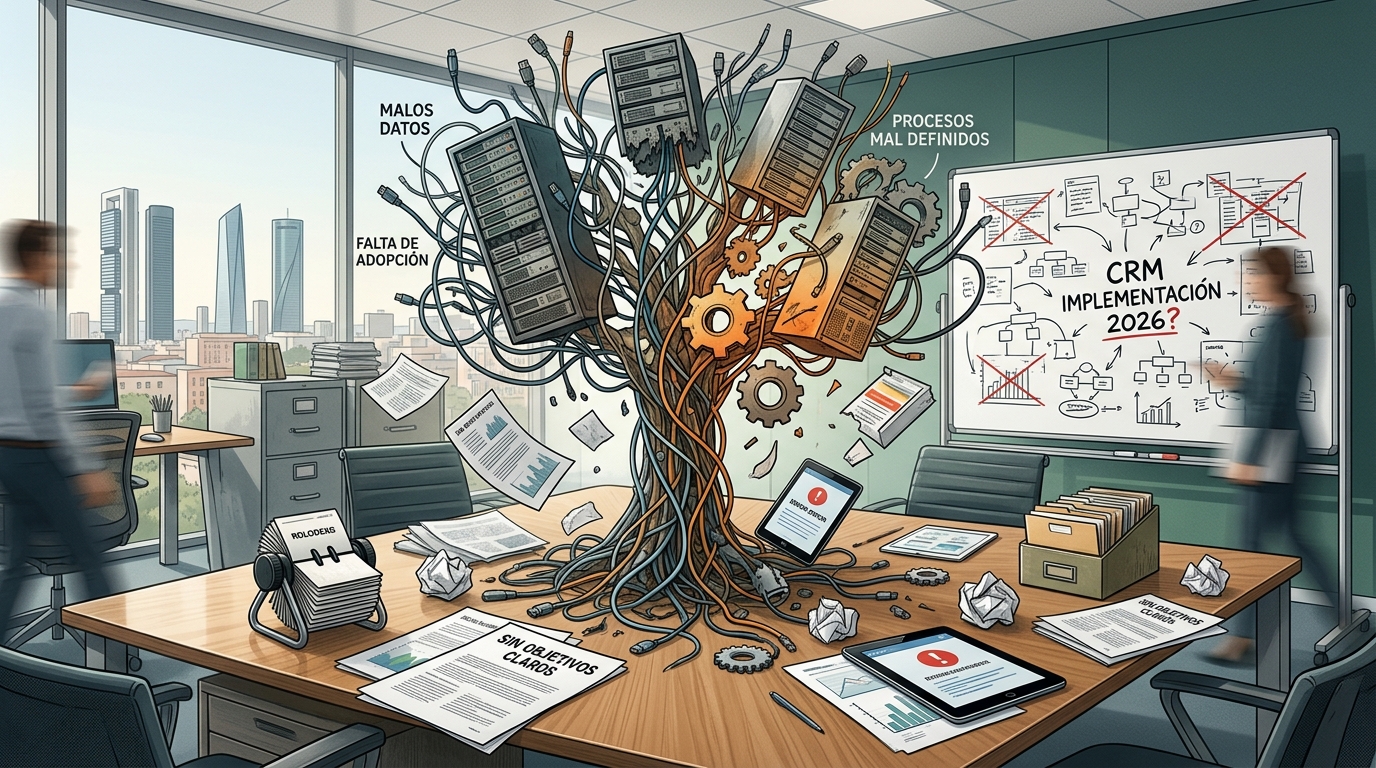
Choosing by features instead of adoption. A CRM with a hundred features that the team doesn't use is worse than one with twenty that everyone consults daily. Adoption is the only key metric that matters in the first three months.
Not cleaning data before migrating. Importing five years of duplicated, outdated contacts with empty fields guarantees the CRM will be dead on arrival. Dedicate at least a week to cleaning and structuring data before migration.
Not defining the sales process before configuring the CRM. The CRM doesn't define your process; it reflects it. If you're unclear about the stages of your sales cycle, the workflow will be empty or misused from day one.
Not assigning an internal owner. Someone on the team must own the CRM: they configure new fields, resolve queries, train new employees, and review data quality monthly.
Measuring success too soon. A CRM takes between three and six months to generate visible value. If you evaluate it after a month, it will almost always seem like a failure. Set 30, 60, and 90-day milestones with adoption metrics, not commercial results.
Measuring success too soon. A CRM takes between three and six months to generate visible value. If you evaluate it after just one month, it will almost always seem like a failure. Set milestones at 30, 60, and 90 days with adoption metrics, not sales results.
How to Implement a CRM in Your SME Step-by-Step
We don't compare specific brands without verifiable data. However, we can outline the types of CRM systems available for SMEs and which business profile suits each one:
| CRM Type | Company Profile | Key Strength | Common Limitation |
|---|---|---|---|
| Freemium CRM with limits | Teams of 1-3 people, zero budget | Minimal entry cost | Restricted features until paid plan |
| Mid-market CRM (<€50/user/month) | SMEs of 5-30 people with defined sales process | Balance of price and features | May require initial setup |
| Vertical CRM (sector-specific) | Real estate, clinics, agencies | Adapted to sector processes | Less flexibility outside the sector |
| ERP-integrated CRM | SMEs using Holded, Sage or similar | Unified financial + sales data | Less powerful CRM than a dedicated solution |
How to implement a CRM in your SME, step-by-step?
Step 1: Map your current sales process
Before you even open a tool, document on paper how a lead currently comes in, the steps it takes to become a customer, and what information your team records at each point. This map will form the basis of your setup.
Step 2: Define the essential fields and stages
Don't configure your CRM with every possible field. Define the ten or fifteen fields your team will actually fill in: name, company, phone, entry channel, product of interest, estimated value, and process stage.
Step 3: Migrate and clean your data
Export your current contacts, remove duplicates, standardise phone and email formats, and complete the mandatory fields you've defined. A clean database is the CRM's most valuable asset.
Step 4: Train your team with real-life scenarios
Don't give a generic software presentation. Use three or four real-life examples from current clients to demonstrate how to log a call, advance an opportunity through stages, and generate a weekly report.
Step 5: Establish a review routine
First thing on Monday, the sales manager reviews the workflow with the team, using the CRM as a foundation. This fifteen-minute meeting is what transforms the CRM into a real management tool, not just a passive archive.
Step 6: Evaluate and adjust at 30, 60, and 90 days
Review the adoption rate (how many users have logged activity this week?), data quality (what percentage of opportunities have a value and close date?), and team feedback on any friction points. Adjust the configuration accordingly.
Conclusion: CRM as a Sales Process Driver, Not Just a Database
How much does a CRM for SMEs cost in Spain?
Prices vary depending on features and the number of users. Entry-level plans for the most common CRMs range from €0 to €15 per user per month for basic functions. Plans with automations, advanced reports, and integrations typically fall between €25 and €70 per user per month. Above that range, the product is designed for medium to large enterprises.
Can a three-person SME use a CRM?
Yes. In fact, smaller teams benefit most from centralising information, because each person manages a high volume of contacts, and losing context between calls or meetings has a direct impact on closing deals. A freemium or low-cost CRM is sufficient to get started.
How long does it take to implement a CRM in an SME?
A basic implementation (field configuration, contact migration, and initial training) can be completed in one to two weeks. Achieving fluid use by the entire team typically requires one to three months, depending on team size and the complexity of the sales process.
Is a cloud-based CRM better than an on-premise one?
For most SMEs, the cloud is the most practical option: no server costs, automatic updates, access from any device, and backups managed by the provider. On-premise CRMs make sense in sectors with very strict privacy requirements or unreliable connectivity.
What's the difference between a CRM and an ERP?
An ERP manages internal business processes: accounting, inventory, invoicing, and human resources. A CRM manages external relationships: customers, prospects, and sales opportunities. Some ERPs include a basic CRM module, but if sales are a significant process for your business, a dedicated CRM usually offers more commercial depth.
Do I need a CRM if I already use spreadsheets?
Spreadsheets work until your team grows or your customer volume exceeds fifty or a hundred active accounts. Beyond that point, the lack of traceability, data duplication, and inability to automate follow-ups mean the opportunity cost far outweighs the cost of any entry-level CRM.
The relevant data point here is behavioural: according to Salesforce's 2024 State of CRM report, 79% of customer data generated by businesses is lost because there's no centralised system to capture it. In an SME where the sales team has three or four people, missing a follow-up can mean losing an entire sale.
A CRM software for SMEs isn't just an advanced contact directory. It's the system that transforms your sales process into something repeatable, measurable, and improvable. Your team sees where each opportunity stands. The manager spots bottlenecks before they impact results. And data stops residing solely in each salesperson's head, becoming a company asset.
Choosing wisely and implementing thoughtfully are the two variables that determine whether a CRM generates value or becomes another underutilised tool. With the guide you've just read, you have the criteria to make that decision based on real facts, not just catalogue promises.
If you want to know how Boomatik can help you choose and implement the CRM that fits your team and process, contact us and we'll tell you straight.
